Starting March 1, 2026, access to the Monday Morning Mentor Series will be available exclusively through the Teaching Professor Digital Library dashboard.
To access the content from the Teaching Professor Digital Library platform, users must have a Magna account and be registered as members of the group subscription.
Step 1.
To to access your team’s group subscription:
Ask your admin for your team’s unique registration link, and go to that URL.
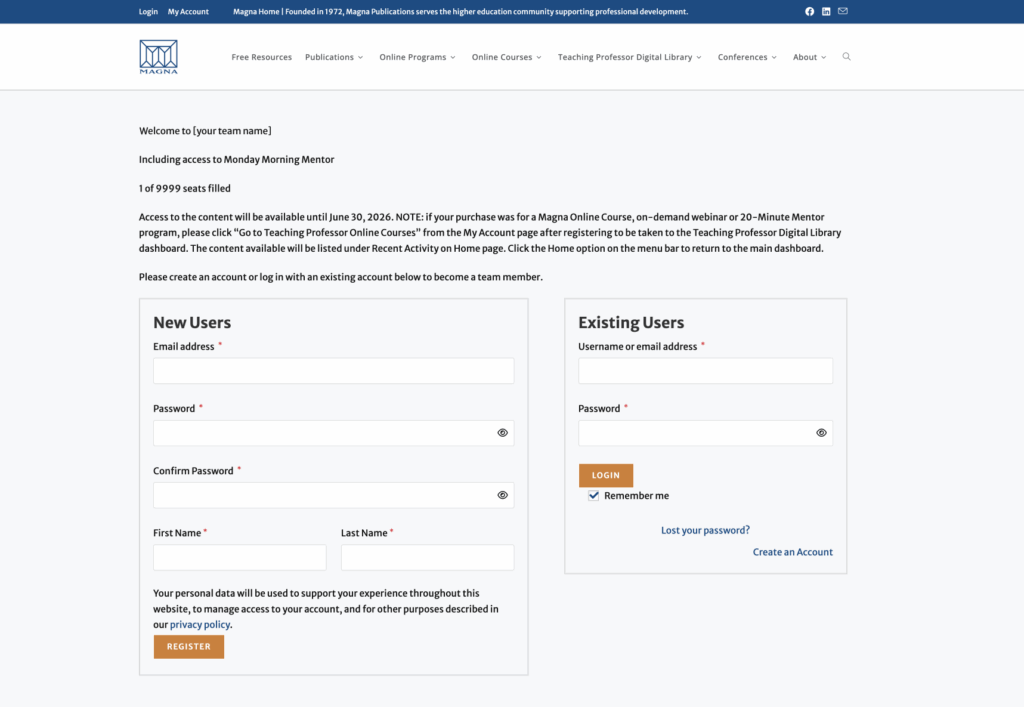
Step 2.
For New Users:
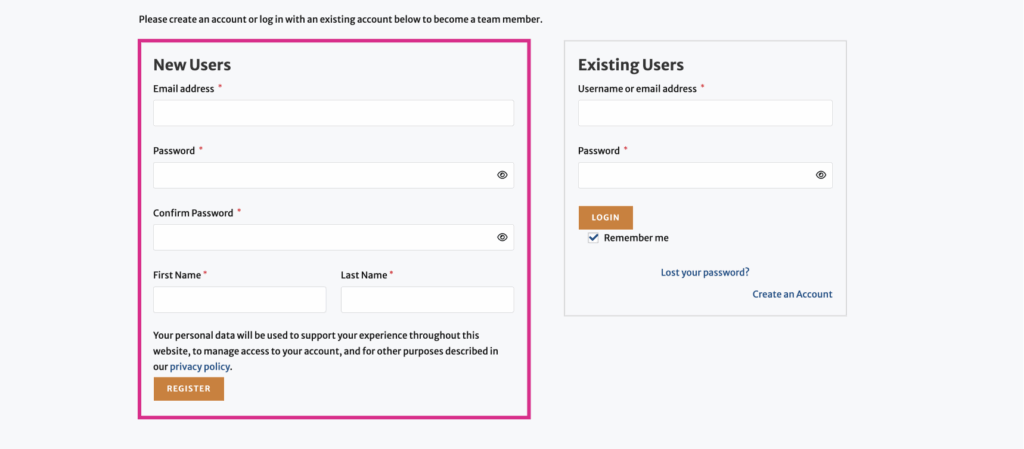
For new users, in the New User box on the left, enter your email address, first name, last name, and password.
Click Register
For Existing Users:
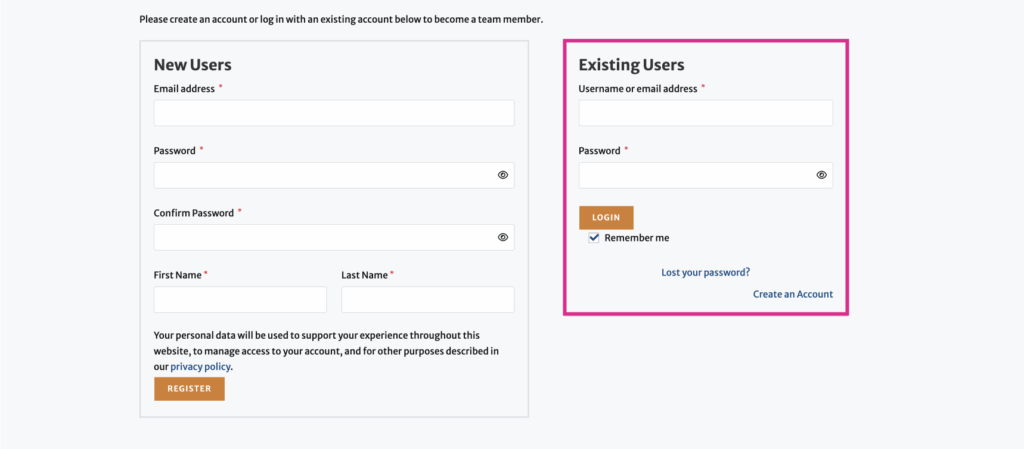
For existing users, or if you get a message that your email account is already registered, enter your email address and Magna password in the Existing User box on the right.
Click Login
On the next page click Join Team to be added to the group account.
Use the “lost your password “ option if you do not know the account password. The forgot your password email will have a subject line of “Magnapubs.com: Password Recovery”.
Step 3.
From the My Account page, select the orange Monday Morning Mentor box to be taken to the Teaching Professor Digital Library dashboard.
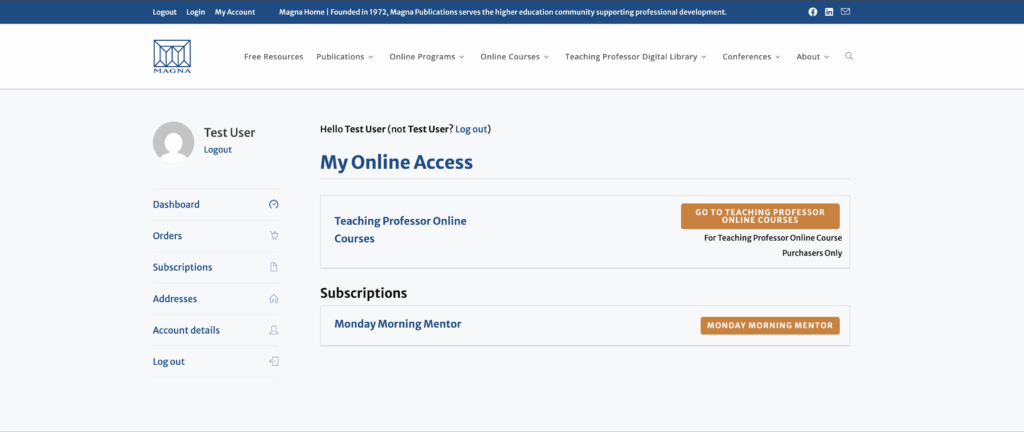
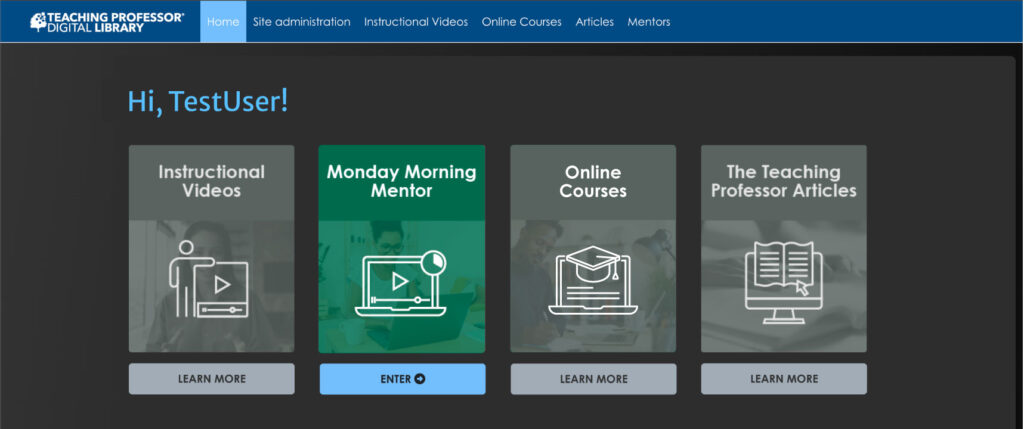
Click Enter under Monday Morning Mentor.
Click the Play button to view the program, or one of the links to access the handouts & other related materials.
Click the Home option on the menu to return to the main dashboard.
If you have any questions or need further assistance with your account, please contact our Customer Service staff at support@magnapubs.com.